My Cart: 0 item(s)

Esentia Systems Blog
Door Access Control: Quick Guide for Safer Buildings
A Quick Guide To Door Access Control
Door access control replaces keys with cards, PINs, mobile or biometrics. Learn how it works, key hardware, and how to choose the right U.S. system.
by Brandon Scott • December 22, 2025
Have you considered installing a door access control system for your property? Today, security is no longer a luxury—it’s a necessity. Across the United States, door access control has become one of the most important investments for property owners, facility managers, and business operators.
As concerns about safety, compliance, and liability continue to rise, many organizations are moving away from traditional keys and toward electronic door access control systems. These modern solutions offer smarter, safer, and more reliable protection, while also enhancing daily convenience. With electronic access control, you gain both peace of mind and operational efficiency.
In this guide, you’ll learn what door access control is, how it works, the types of hardware available, and best practices for choosing the right system for your building.
What Is Door Access Control?
Definition of Door Access Control
Door access control is a security system that determines who can enter, which doors they can access, and when they are allowed entry. Instead of relying on physical keys, access control systems use electronic credentials to grant or deny entry.
Each time a user presents a credential at a controlled door, the system instantly verifies their authorization. Every access attempt is logged, giving you clear visibility into who enters your property and when. This level of control and tracking is a major advantage over traditional locking systems.
Each time someone uses a credential at a controlled door, the system checks their authorization. Each access attempt is verified and recorded instantly. This system gives you complete visibility of who accesses your property
Door Access Control vs. Traditional Locks and Keys
Traditional locks and keys have been used for centuries, but they can be difficult to manage—especially when multiple people need access. Here’s how they compare to modern electronic access control systems:
Key Differences (Bullet Comparison)
Lost keys or credentials
- Traditional locks & keys: Losing a key can put your building at risk right away—and you may need to rekey locks to feel secure again.
- Door access control: If a key card, fob, or mobile credential is lost, you can deactivate it instantly without changing the lock.
Duplicate copies and unauthorized access
- Traditional locks & keys: Keys are easy to copy, and you may not know how many duplicates exist.
- Door access control: Credentials are harder to duplicate, and you can control exactly who has access.
Changing access for staff, tenants, or vendors
- Traditional locks & keys: Access changes usually mean collecting keys or rekeying doors—slow and inconvenient.
- Door access control: You can add, remove, or update access permissions in seconds through the system.
Tracking who entered and when
- Traditional locks & keys: There’s no record of who unlocked the door or what time they entered.
- Door access control: The system creates an audit trail with access logs, which is useful for security and accountability.
Managing multiple doors and buildings
- Traditional locks & keys: The more doors and users you have, the harder key management becomes.
- Door access control: Centralized management makes it easier to control access across multiple doors, floors, or locations.
Long-term cost and upkeep
- Traditional locks & keys: Rekeying and replacing locks add up, especially with turnover or lost keys.
- Door access control: Many businesses save money long-term by reducing rekeys and simplifying daily access management.
Traditional locks are familiar, but a modern electronic door access control system gives you stronger security, easier management, and better visibility—especially for commercial buildings, multi-tenant properties, and facilities with changing access needs.
How Door Access Control Systems Work
Door access control systems rely on a mix of physical locking hardware and electronic components that work together to secure entry points. Understanding the main device types—locks, readers, and credentials—helps you choose the right setup. It ensures your system meets your building’s security needs, code requirements, and day-to-day convenience.
Core Components of an Electronic Access Control System
- Credentials: Items used to verify identity, such as key cards, fobs, PINs, mobile credentials, or biometric data
- Door readers: Devices installed at entry points that read or scan credentials
- Access controllers: The system’s “brain” that verifies permissions and decides whether to unlock the door
- Electronic locks: Hardware that physically secures the door (electric strikes, maglocks, mortise locks, or smart locks)
- Management software: A centralized platform for managing users, permissions, schedules, and access logs
Together, these components create a secure and automated pathway between the user and the door.
The Step-by-Step Process at the Door
Here is what occurs each time someone uses a door access control system:
- The user presents a credential (key card, fob, PIN, mobile phone, or biometric scan).
- The reader captures the data and sends it to the access controller.
- The controller checks the user’s permissions in the access database immediately, verifying whether access is allowed at that specific time and day.
- Based on this verification, the door either unlocks or stays locked.
- The system records the event for tracking and reporting.
This process takes less than a second and operates seamlessly for authorized users.
Integration with Other Building Security Systems
Modern door access control systems can integrate with other security and building technologies, including:
- Video surveillance systems
- Alarm systems
- Intercoms and video doorbells
- Fire and emergency systems
- Time and attendance systems
- Smart building and home automation
- Visitor management systems
These integrations create a comprehensive, layered security system rather than isolated protection tools.
Understanding the available hardware options helps you design a system that fits your building’s layout, security goals, and code requirements.
Door Access Control Hardware and Electronic Systems Overview

Common Types of Door Locks
There are several types of electronic door hardware commonly used in access control systems:
- Electric strikes: Use an electric current to release the lock (like a deadbolt).
- Electromagnetic locks (maglocks): Use a strong magnet to secure a metal plate on the door. They open when the power is cut.
- Mortise locks: Sturdy, built-in locks installed inside the edge of the door that offer high security and long-term durability.
- Smart locks: Have built-in electronics that connect to Wi-Fi, allowing you to lock or unlock the door remotely with a smartphone.
Each lock type suits specific building layouts and must meet relevant fire safety codes.
Door Readers and Credential Types
Here are the various types of readers and credentials for electronic door access control designed for different security needs.
Common Door Reader Types:
- Keypad readers: Require a numeric PIN or passcode
- Magstripe readers: Read data from swipe cards with magnetic strips
- RFID readers: Read cards or key fobs wirelessly
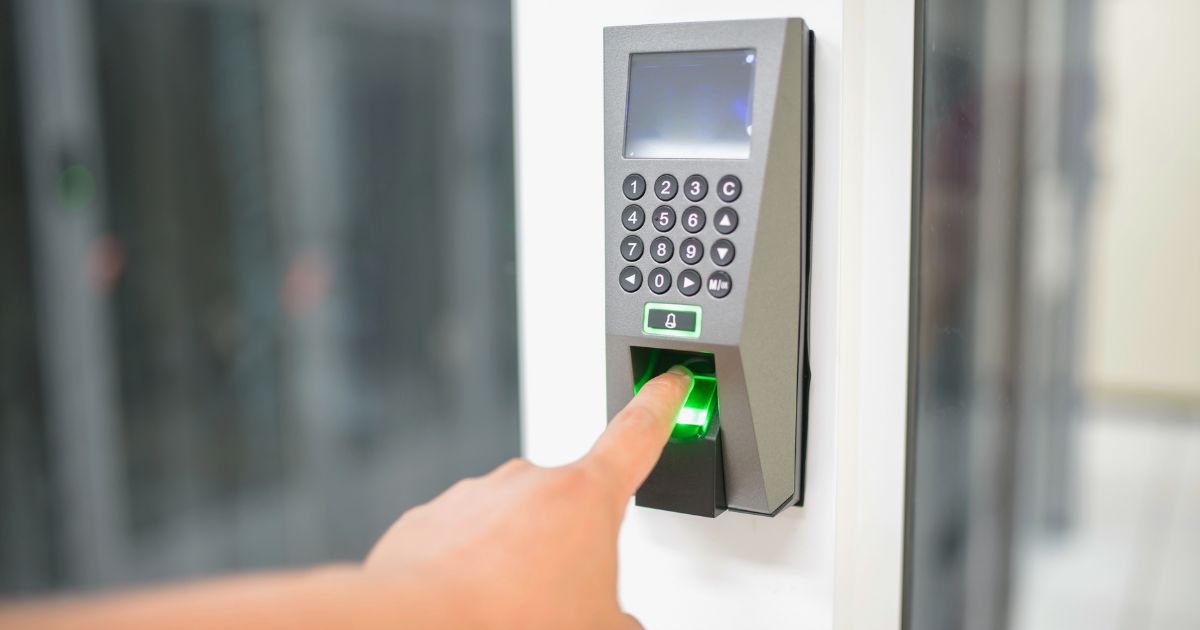
- Biometric readers: Identify users through fingerprints or facial recognition
Common Credential Types:
- Physical credentials: Items you carry, like key fobs and keycards.
- Knowledge-based credentials: Information you remember, such as a PIN or password.
- Biometric credentials: Unique physical features used for verification.
- Mobile credentials: Digital keys stored on your mobile device.
Multi-factor systems can combine two or more credential types for higher security in sensitive areas.
Choosing the Right Door Access Control Products in the U.S.
Choosing the right door access control system involves balancing security needs, building size, door types, and future growth plans. By considering how many doors and users you must manage, along with the materials and environment of your doors, you can choose the right solution. It should meet your current needs and support your business as it grows, based on your long-term budget and scalability goals.
Here is a list of door access control products to choose from:
1. Access Controller
| Dahua DHI-ASC3202B |
Web Access Control • Supports configuration as the main controller (central access control management functions) or up to 19 sub-controllers (readers, alarms, and lock management) • Supports TCP, IP, and PoE+ • Systems and devices can be configured and updated through the webpage • Supports 1,000 users, 3,000 fingerprints, 5,000 cards, and 300,000 records capacity |
| Dahua DHI-ASC2204C-S |
Four-door Multi-function Access Controller • Supports TCP/IP, RS485, and Wiegand Protocols • Stores 100,000 users and 500,000 Card-swipe Records • Issues Alarms for Tampering, Intrusion, • Timeout, Duress, Invalid Card, and Incorrect Password • Supports Built-in RTC, Manual Time-fixing, and Automatic Time-fixing • Data Saved in Event of Power Failure • Enable Anti-passback and Multi-door Interlock to Control Traffic in High-security Applications |
| GeoVision GV-AS1520 |
Controller with Built‐in UHF RFID Reader • Builtin 1 digital input and 4 relay outputs • Provide 12V DC power to external devices when in the PoE power mode • Ideal sensing range within 10 m (32.8 ft) • Support up to 100000 cards • Electronic tag compliant with EPC Gen II (ISO18000‐6C) standard |
| HIkVision EACC-C602 |
Double Door Access Controller • 32-bit high-speed processor • TCP/IP network communication, with a self-adaptive network interface. The communication data is encrypted to ensure information security. • The recognition and storage of a card number with a maximum of 20 digits • Online upgrade function and online remote control of doors. • Support Zone Alarm • Stores 100,000 (200,000 expandable) card information and 300,000 (600,000 expandable) access control events |
2. Door Readers
| Dahua DHI-ASR1102A(V3) |
RFID Fingerprint Reader • RS-485 Protocol1 • Supports card and fingerprint • Stores Up to 3,000 Fingerprints • Slim mullion design • Surface-mount Installation |
| GeoVision GV-DFR1352 |
Door Frame Card Reader (Rev. B) • Card reader with weather‐proof and IP66‐compliant housing • Wiegand interface supported • Can be connected to any standard access control panel • Support for GV‐Proximity Cards with GID (GeoVision Identifier) to enhance security |
| CDVI GALEOBT |
Stand-Alone Keypad with Mobile App • Mobile application for Android and IOS • 100 user codes (4 or 5-digit code) • 30' (10 m) maximum distance between the keypad & remote controller • Vandal-proof heavy-duty Zamak® cast alloy • Indoor/outdoor application |
| Dahua DHI-ASM202 |
Fingerprint Enrollment Reader • Optical Fingerprint Module • Plug and Play Operation, No Driver Installation • USB Power Supply and Communication |
| Luminys RD1PM |
Vandal-Proof Keypad Reader • NDAA Compliant • All-Metal Keypad with Indicator Light and Buzzer • Supporting MIFARE (IC) Cards Reading and • Password Unlocking Method • IK08 Protection • RS-485 and Wiegand Communication Protocols |
3. Locks
|
GeoVision GV-ML600 |
Electromagnetic Lock, convertible from fail-secure to fail-safe |
|
GeoVision GV-EL124S |
Electric Strike, convertible from fail-safe to fail-safe, with built-in door status sensor |
|
GeoVision GV-ML1200 |
Electromagnetic Lock, surface mount, with built-in voltage spike suppressor and a sensor |
Best Practices for Designing and Maintaining Door Access Control Systems
Assessing Your Building’s Security Needs First
Before selecting hardware or software, you need to conduct a thorough assessment of the following:
- Identify all entry and exit points
- Analyze traffic patterns and peak usage times
- Evaluate risk levels for different areas
- Consider insurance and compliance requirements
This assessment ensures that resources are focused on the doors that matter most.
Planning User Roles and Access Levels
Effective door access control depends on well-defined access roles, such as:
- Full-time employees
- Residents and tenants
- Vendors and contractors
- Cleaning and maintenance crews
- Temporary visitors
Every group should have access solely to the areas required for their role and only within designated hours.
Installation and Wiring Best Practices
Professional installation is strongly recommended for commercial-grade door access control systems. Best practices include:
- Proper power supply and battery backups
- Protected and concealed cabling for physical protection
- Secure mounting of control panels and network equipment
- Compliance with local building and fire codes
A well-installed system is more reliable, harder to tamper with, and safer for occupants.
Ongoing Management and Maintenance
Door access control is not a “set it and forget it” system. Ongoing management includes:
- Regular user audits to remove inactive accounts
- Updating system firmware and software
- Testing emergency power backups
- Reviewing access logs for unusual activity
These tasks help ensure that security remains strong over time.
Conclusion
Door access control is a smart, practical investment in security for homes, businesses, schools, and multi-tenant properties. Choosing the right solution depends on the number of users, security risks, and future growth, and making the wrong choice can be expensive.
If you need guidance, system recommendations, or a professional consultation, feel free to contact us today. Esentia Systems also offers discounted prices and extended warranties on our security cameras to dealers, installers, and integrators. Sign up and take advantage of these benefits.
overall rating:
my rating:
log in to rate