My Cart: 0 item(s)

Esentia Systems Blog
Wisenet Cameras: How to Get the Best Night Vision Setup
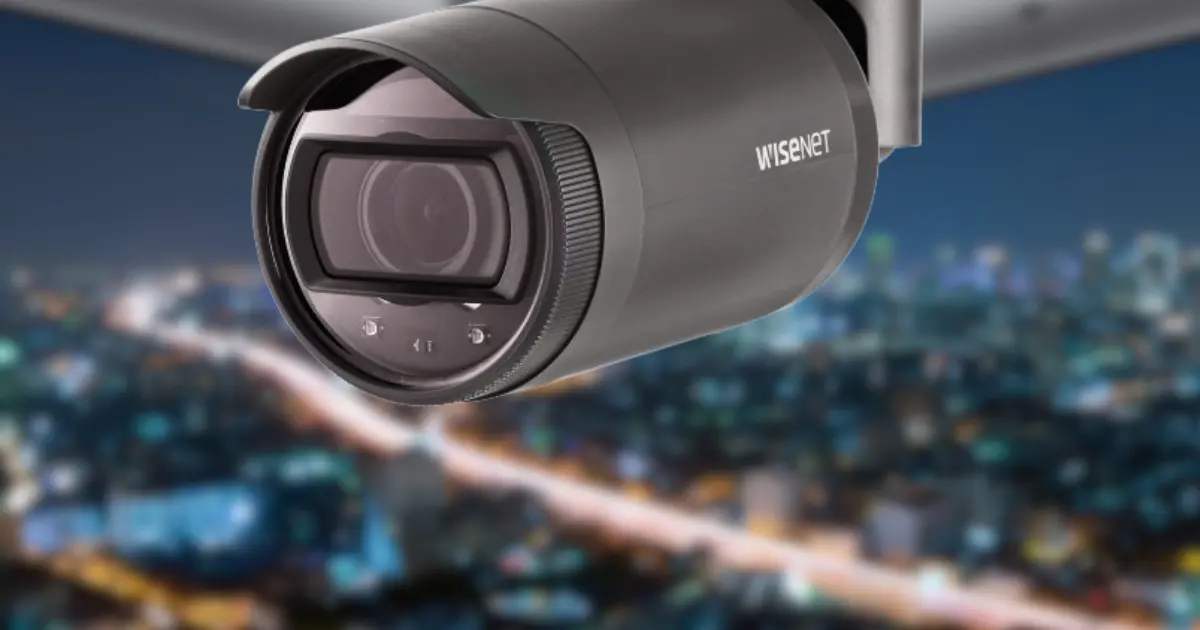
How to Get the Best Night Vision Setup for Wisenet Cameras
Learn how Wisenet cameras night vision works, key features, X-Series examples, clear night footage tips, and fixes for common night vision problems.
by Brandon Scott • December 29, 2025
When the sun dips below the horizon, that's when a security camera truly shines. Daylight video is usually fine, but at night, lighting becomes unpredictable, shadows deepen, and fast-moving objects are harder to capture. Unfortunately, many security incidents happen in low light, making reliable night vision cameras essential.
That's why Wisenet cameras from Hanwha Vision are the go-to choice for customers, system integrators and enterprises all over the world. Built on top of cutting-edge tech, solid hardware, and some seriously clever image processing, Wisenet cameras deliver decent nighttime video no matter the environment - whether you're monitoring a residential hallway or a massive industrial or commercial facility.
Here in this guide, we'll be taking a closer look at:
- how Wisenet cameras manage to produce some of the best night vision on the market,
- how intelligent video analytics, motion detection, and digital image stabilisation work together when the lights go out
- and how users can tweak the camera settings for the best possible results.
We'll also be looking at installation best practices, what sort of lens will work best, how to get the right field of view, what you need to know about compliance and using the system responsibly.
This blog is aimed at people using Wisenet security cameras for both personal and professional use, helping users to get the most out of their Wisenet camera systems and make sure they're up and running safely and effectively.
About Hanwha Vision and the Wisenet Camera Series
Hanwha Vision is a global leader in video surveillance solutions, offering a broad series of IP cameras, network video recorders (NVRs), analytics software, and related services. Formerly known as Hanwha Techwin, the company continues to innovate while maintaining strict commitments to cybersecurity, safety, and regulatory compliance.
The Wisenet product series includes:
- Wisenet X-Series (AI-powered, enterprise-grade):
- Wisenet P-Series (premium performance): This Series of Wisenet cameras includes options for 4K and 8K ultra-high resolution.
- Wisenet Q-Series (cost-effective professional solutions). This includes dome, bullet, and box security cameras and is available in both 2MP and 4MP resolutions.
- Specialized dome, bullet, and PTZ cameras
Each series is designed for specific environments and system requirements, offering different combinations of resolution, analytics features, impact protection, and ingress protection.
Official specifications, firmware updates, and legal terms are available on the Hanwha Vision family site and each regional respective website, depending on country-specific regulations.
How Wisenet Night Vision Works
Infrared (IR) Illumination and Automatic Day/Night Switching
At the core of Wisenet night vision is infrared illumination. When ambient light drops below a defined threshold, Wisenet cameras automatically switch from color mode to black-and-white night mode using an IR-cut filter. This automatic transition ensures continuous recording without gaps in coverage.
Built-in IR LEDs illuminate the scene using invisible infrared light, allowing the camera to continue capturing clear video even in complete darkness.
IR performance varies by model, lens type, and field of view, but typical ranges include:
|
Wisenet Model |
Camera Type |
IR Range |
|
XNO-6080R |
Bullet camera |
Up to 98 ft |
|
XNV-6080R |
Dome camera |
Up to 98 ft |
|
XNO-C9083R |
4K Bullet Up |
Up to 131 ft |
Actual results may vary based on installation height, reflective surfaces, and environmental conditions.
WiseIR (Smart IR) for Clear Faces at Night
One of the most common night-vision issues is IR washout. When a person moves close to the camera, traditional IR LEDs can overexpose the subject, washing out facial detail.
Wisenet cameras solve this with WiseIR (Smart IR)—an intelligent IR control system that dynamically adjusts infrared intensity based on distance and scene brightness.
Benefits of WiseIR include:
- Reduced overexposure at close range
- Balanced illumination across the scene
- Improved hallway view and entry-point monitoring
- Clearer facial and clothing detail for investigations
This feature is especially valuable for dome cameras, indoor corridors, and access-controlled areas.
Intelligent Video Analytics and AI Enhancements
Intelligent Video Analytics at Night
Wisenet cameras don’t just record video—they analyze it. Built-in intelligent video analytics allow the system to detect motion, intrusion, loitering, line crossing, and object removal even in low-light conditions.
Advanced motion detection algorithms reduce false alerts by distinguishing real human movement from environmental noise such as rain, shadows, or insects attracted to IR illumination. This improves accuracy while helping users manage data responsibly.
Wisenet 9 AI Low-Light Optimization
Newer Wisenet X-Series cameras powered by the Wisenet 9 chipset use AI-based low-light optimization to further enhance night performance. Video is processed directly on the camera (edge AI), reducing network load and improving system responsiveness.
AI-driven benefits include:
- Reduced image noise in dark scenes
- Enhanced contrast and sharpness
- Improved face visibility at night
- Smarter object classification
Key Night Vision Features That Actually Matter
_1767031575.webp)
When it comes to night vision, you need to get it right or the whole system is going to fall apart. Wisenet's Hanwha Vision cameras are all about striking a balance between image quality, storage space and system reliability - even in the most demanding low-light situations.
Resolution and Video Compression (H.265 and H.264)
Higher resolution is key to picking up on finer details like faces, clothing, and objects at night, but of course, it also means you're going to eat up more storage space and bandwidth. To get around, these Wisenet cameras give you a choice between H.265 and H.264 video compression - so you can pick the one that suits your needs.
H.265 compression has some pretty big advantages when it comes to recording at night:
- You can cut your bandwidth usage by up to 50% compared to H.264 - a real bonus if you're streaming video over a network
- It's also a lot cheaper in the long run, especially if you're recording 24/7
- And it really brings out the best in high-resolution night video, including 4K cameras
If you're recording continuously, transmitting video over IP or storing it locally on an SD card, this is a real lifesaver. H.264 is still an option if you need to be backwards compatible with old systems and third-party kit.
Wide Dynamic Range (WDR) - Don't Get Burned Out
Nighttime scenes are often a real mixed bag - you can end up with super bright lights and super dark shadows all in the same frame. That's where Wide Dynamic Range (WDR) comes in - it lets Wisenet cameras take in multiple exposure levels at once and give you a clear picture that wouldn't otherwise be possible.
With WDR enabled, you can get a clear picture of:
- Headlights in a parking lot that wouldn't be blown out
- Streetlights outside entrances or on the road
- Mixed indoor and outdoor lighting environments that would otherwise be a disaster
It's especially useful for places like entrances, loading docks, and perimeter monitoring at night.
Digital Image Stabilization and Zoom - Staying on Track
Bad weather, shaky mounting or just plain old environmental factors can all knock your image out of focus. Digital image stabilization does its best to sort this out and give you a more stable picture, especially if you're putting your camera out in the elements.
Wisenet cameras also come with digital and optical zoom - allowing you to zoom in on areas of interest without having to physically move your camera. The effectiveness of zoom depends on the camera resolution, lens and field of view - so get the right one for the job.
Best Practices for Setting Up Wisenet Night Vision
Okay, it's time to get real results. Wisenet cameras from Hanwha have all the tech to deliver top-notch night footage, but the difference between good and great night vision usually comes down to choosing the right camera and getting the setup just right. The tips below will help you make a big leap forward in clarity, and get more useful video when it counts most.
(Quick note: features and menus can vary by model and firmware, so it’s smart to check your camera’s documentation for the most up-to-date details and any changes announced with advance notice, depending on what’s applicable to your region and license terms.)
1. Pick the Right Wisenet Camera for the Job
Before you start messing with settings, get the right camera for the scene. If you choose one that's not got enough IR range for the area you're trying to cover, you might as well give up on getting any decent footage, no matter how much tweaking you do.
If you're dealing with small to medium areas (around 98 ft / 30 m IR):
- XNO-6080R
- XNV-6080R
These are great for porches, gates, small yards, and indoor corridors - especially if you're trying to get a clear shot of a hallway where people tend to pass by within a predictable distance.
If you're trying to cover larger areas or need to see farther out (around 131 ft / 40 m IR):
- XNO-C9083R
That option will be better for long driveways, open lots, wider building fronts, or places where you need to be able to see people at night from a bit farther away.
Why is this so important? If you've got an area that's beyond the range of the camera's IR, the background just isn't going to magically brighten up - it'll be dark or noisy. Getting the right IR range right from the start will save you a whole load of frustration later.
2. Camera Placement and Mounting Height
Getting the camera in the right spot is everything. Even if you've got a top-notch Wisenet camera, if you've got the angle or surroundings wrong, your night footage is going to suffer.
Here are the key rules to live by:
- Don't point the camera through glass - IR can bounce back and create a bright foggy mess
- Avoid bright walls and shiny surfaces - IR can bounce back and create hot spots and washed-out faces
- Mount the camera at around 8 to 10 feet off the ground - this will give you better face angles and keep your subjects in the right part of the frame
- Tilt the camera slightly downwards - this will help reduce sky glare and get the exposure just right
Let's face it: getting placement right can improve night clarity by 40-60%, and that's even before you've touched any settings. If you're only going to spend time on one thing, this should be it.
3. Manage Ambient and IR
A bit of extra light can make a huge difference. IR is powerful, but it's not the same as real lighting, and adding even a bit of ambient light can make a big difference in detail and noise.
Easy ways to add some extra lighting:
- Porch lights
- Pathway lights
- Soft LED strips (avoid pointing them directly at the lens)
If you've got strong lighting in the area (streetlights, floodlights, bright signs), you might actually need to dial down the IR intensity a bit to stop overexposing and getting washed-out faces.
Most Wisenet cameras let you tweak:
- IR strength
- Shutter speed
- Exposure
- Gain and noise reduction
Even small adjustments can make a big difference, especially if you test them in real nighttime conditions rather than just relying on a daytime preview.
4. Optimize Your Settings in the Web Interface or NVR
Once you've got the camera in the right spot and the lighting sorted, it's time to get the settings just right to match your environment. Use the web interface or your NVR to tweak the image to perfection, but be sure to do it at night, not during the day.
Here's a simple way to do it:
- Switch to Night / Low-light mode
- Adjust your shutter speed (don't go too slow, or motion will get all blurry)
- Test WDR on and off at night (some scenes will benefit more than others)
- Set your noise reduction to a balanced value (too much and you'll end up with smudgy details)
- Fine-tune WiseIR to stop close-up faces getting blown out
Then take a few short test clips at night, check them over, and tweak again. Even for personal use, it's worth spending 15-20 minutes on this - you'll end up with noticeably cleaner, evidence-quality video.
Common Night Vision Problems
Even the very best Wisenet cameras from Hanwha Vision can run into night vision problems if the environment, the way you set things up, or the actual setting of the camera aren't just right. Here are the most common problems people see with IR night mode - and the practical fixes that usually sort them out pretty quickly.
Night Image is Just way too Bright / Washed Out
If faces look like glowing blobs, or the whole scene just looks way too bright to be believed, this is usually an IR + exposure issue.
What causes it
- The IR intensity is just too strong for the space you're recording in
- The subject is way too close to the camera - often happens at doorways or hallway view areas
- Walls, ceilings, or objects nearby are reflecting IR back into the lens (especially white paint, metal or glossy surfaces, or glass)
How to sort it out
- Tone down the IR intensity (lower the IR LED level, or switch to Smart IR / WiseIR if you can)
- Tweak the camera position so the IR isn't bouncing off a nearby wall (even just a little bit makes a big difference)
- Lower the exposure levels and check if the shutter speed is set right (overexposure can make motion look terrible too)
- Try not to point the camera at white walls or shiny surfaces - or move it a bit further away from anything that might be reflecting off it
- If the camera is a dome, make sure the dome cover is clean - smudges can cause light flare and a sort of "blooming" effect
Quick tip: give it a try by walking towards the camera at night. If the face just sort of...disappears when you get close, a slight tweak to the camera position and a little more IR control usually sorts it out.
Night Image is Too Dark
If the video just looks dim and subjects disappear into the shadows, it usually means the camera just isn't getting enough light - IR or ambient.
What causes it
- The target area is just beyond the camera's IR range
- The camera is mounted too high up - IR loses effectiveness over distance
- There's just too little ambient light, and the scene has dark surfaces that don't reflect IR very well
What to do about it
- Tweak the camera slightly - it improves both the angle of the face and the effectiveness of the IR
- Add a little bit of ambient lighting - maybe a soft LED light, a porch light, or pathway lighting
- Consider upgrading to a longer-range Wisenet X-Series model if the scene is just beyond what your current camera can cover
- Give the lens/dome a good clean - dirt, haze, or salt mist can make a big difference at night
Quick tip: if you need to pick out faces/number plates, don't just rely on the max distance claims - in real life, scenes often need a bit closer placement or some extra light.
Foggy or Blurry During Rain (or even just Mist)
Rainy conditions can make night footage look all smeary or hazy - especially with IR night mode.
What causes it
- Water droplets and mist scatter IR light, causing flare and a soft focus
- Droplets on the lens/dome create a "glow" and blur in the image
- Humidity and temperature shifts can make condensation form on the dome cover
How to sort it out
- Put the camera in a spot where it gets a bit of protection from the rain - maybe under a small overhang or with a simple hood
- Give the lens/dome a good clean (water spots and grime make flare a lot worse)
- If you're in a rain-prone area, consider a Wisenet PTZ PLUS model with wipers and water removal features
- Tweak the IR intensity a bit (less IR can sometimes reduce the "snowy" reflective effect during heavy rain)
Quick tip: if the image is fine on dry nights, but just foggy when it rains, the camera is probably fine - it's just the environment causing IR scatter.
Excessive Grain or Noise
Grainy video usually means the camera is boosting brightness digitally (gain) because it just doesn't have enough real light.
Possible reasons
- The gain (the camera amplifies the signal) is too high, which also means the noise is too high
- There just isn't enough ambient light in the scene
- Noise reduction settings that are too aggressive aren't balanced
What to do about it
- Lower the gain to reduce noise (then adjust other settings to try and recover some brightness)
- Increase the ambient light just a bit (even a little bit can make a big difference)
- Tweak the noise reduction settings to a balanced level - too little and it's grainy, too much and it's all smeared out
- Consider a newer Wisenet 9-powered X-Series camera for cleaner low-light processing and improved night video
Quick tip: if noise reduction is too high, faces can look "waxy". Try for a setting that keeps detail but just reduces the distracting grain.
When to Upgrade Your Wisenet Camera
You may want to upgrade if:
- Identification beyond 100 ft is required
- AI-based analytics and enhancement are needed
- Older devices lack H.265 support
Newer Wisenet series cameras offer improved night performance, better compression, and future-ready features.
Final Checklist for Best Night Vision
- Correct camera and lens type selection
- Proper mounting height and alignment
- IR range tested in real night conditions
- WDR and noise reduction properly tuned
- Secure system access and user management configured
Conclusion
Wisenet cameras from Hanwha Vision stand out for night surveillance because they’re built to keep footage clear and usable when lighting is poor and details matter most. With professional-grade hardware and smart features like infrared illumination, motion detection, wide dynamic range, digital image stabilization, and intelligent video analytics, they help reduce false alarms while improving real-world night-time video quality.
That said, the best night results don’t happen by accident. Choosing the right lens type, matching the field of view (especially for hallway monitoring), and taking a few minutes to fine-tune your camera settings can make a noticeable difference in clarity and consistency.
If you’re planning to upgrade or install a new setup, Wisenet cameras are available through a range of online retailers, including Esentia Systems—so you can compare models and pick the one that fits your space and coverage needs.
overall rating:
my rating:
log in to rate